はじめに
mod_rewriteでSetEnvIfを使うと振り分け処理がちょっと捗ったのでメモ
スマフォとそれ以外の振り分け
SetEnvIf 利用前夜
自分は以下のように設定していた。
# iPhone と iPod と iPad は...
RewriteCond %{HTTP_USER_AGENT} "iPhone" [NC,OR]
RewriteCond %{HTTP_USER_AGENT} "iPod" [NC,OR]
RewriteCond %{HTTP_USER_AGENT} "iPad" [NC]
RewriteRule ^/(path/to)(.*$) http://iPhoneのあれや/これや/$2 [R,L]
# Android は...
RewriteCond %{HTTP_USER_AGENT} "Android" [NC]
RewriteRule ^/(path/to)(.*$) http://Androidのあれや/これや/$2 [R,L]
# それ以外は...
RewriteRule ^/(path/to)(.*$) http://それ以外のあれや/これや/$2 [R,L]
まあ、別にこれでもイイけどなんか美しくない。
SetEnvIf の登場
SetEnvIf を使えば以下のように書ける。
SetEnvIf User-Agent "iPhone" UA=smartphone-apple
SetEnvIf User-Agent "iPod" UA=smartphone-apple
SetEnvIf User-Agent "iPad" UA=smartphone-apple
SetEnvIf User-Agent "Android" UA=smartphone-google
RewriteCond %{ENV:UA} ^smartphone-apple$
RewriteRule ^/(path/to)(.*$) http://iPhoneのあれや/これや/$2 [R,L]
RewriteCond %{ENV:UA} ^smartphone-google$
RewriteRule ^/(path/to)(.*$) http://Androidのあれや/これや/$2 [R,L]
RewriteCond %{ENV:UA} !^smartphone*$
RewriteRule ^/(path/to)(.*$) http://それ以外のあれや/これや/$2 [R,L]
SetEnvIf を使わない場合とはあまり行数的には変わらないけど User-Agent の定義を纏められるのはいいなあ。
そしてデモ
docker run
デモは docker がサクッとしてて良い。
docker run -t -i -p 80 ${your_container} /bin/bash
コンテナは何でも良くて Apache がインストールされていて -p 80 でポートを開けておく。リダイレクト元とリダイレクト先で二つのコンテナ用意しておこう。そして、確認はエミュレーターを使って行う。
普通の リダイレクト
リダイレクト元で以下のように設定。
#
RewriteEngine On

# for iPhone / iPod / iPad
RewriteCond %{HTTP_USER_AGENT} "iPhone" [NC,OR]
RewriteCond %{HTTP_USER_AGENT} "iPod" [NC,OR]
RewriteCond %{HTTP_USER_AGENT} "iPad" [NC]
RewriteRule ^/(test.html)(.*$) http://172.17.0.3/apple.html [R,L]
# for Android
RewriteCond %{HTTP_USER_AGENT} "Android" [NC]
RewriteRule ^/(test.html)(.*$) http://172.17.0.3/android.html [R,L]
# for other
RewriteRule ^/(test.html)(.*$) http://172.17.0.3/other.html [R,L]
この設定を /etc/httpd/conf.d/redirect.conf で保存して /etc/init.d/httpd restart で反映させる。そして、リダイレクト先でそれぞれのリダイレクト先の html ファイルを適当に用意しておこう。
リダイレクト設定が無い場合には以下のようなページが表示される。

User Agent に iPhone を含んでいる場合には以下のように iPhone 用に用意されたページに遷移する。

User Agent に Android を含んでいる場合には以下のように Android 用に用意されたページに遷移する。

普通に PC でアクセスする場合には以下のようなページに遷移する。

SetEnvIf を使ったリダイレクト
以下のように設定して /etc/httpd/conf.d 以下に放り込んでから apache を再起動する。
#
RewriteEngine On
#
SetEnvIf User-Agent "iPhone" UA=smartphone-apple
SetEnvIf User-Agent "iPod" UA=smartphone-apple
SetEnvIf User-Agent "iPad" UA=smartphone-apple
SetEnvIf User-Agent "Android" UA=smartphone-google
# for iPhone / iPod / iPad
RewriteCond %{ENV:UA} ^smartphone-apple$
RewriteRule ^/(test2.html)(.*$) http://172.17.0.3/apple.html [R,L]
# for Android
RewriteCond %{ENV:UA} ^smartphone-google$
RewriteRule ^/(test2.html)(.*$) http://172.17.0.3/android.html [R,L]
# for other
RewriteCond %{ENV:UA} !^smartphone*$
RewriteRule ^/(test2.html)(.*$) http://172.17.0.3/other.html [R,L]
リダイレクト設定が無い場合には以下のようなページが表示される。

User Agent に iPad を含んでいる場合には以下のように iPhone 用に用意されたページに遷移する。

User Agent に Android を含んでいる場合には以下のように Android 用に用意されたページに遷移する。
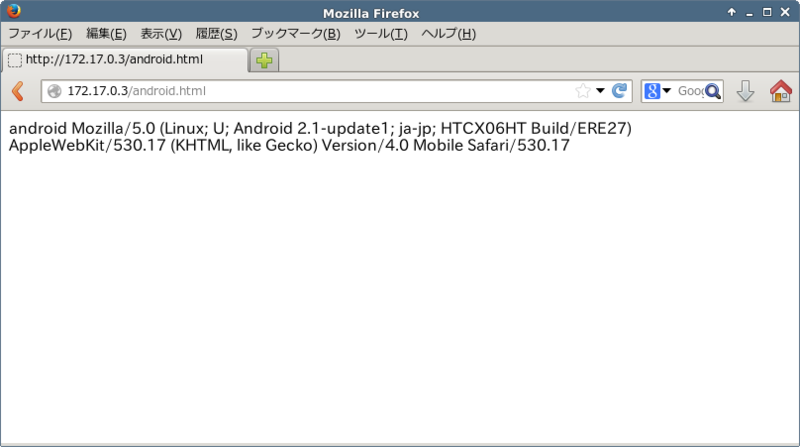
普通に PC でアクセスする場合には以下のようなページに遷移する。

さいごに
SetEnvIfを使う場合と使わない場合でも実現出来る結果は変わりは無いSetEnvIfを使うメリットとしては個々のユーザーエージェントの設定をまとめておいて定義出来るところが嬉しいかな
